 InputAnchor
For macOS · per-app input source control
Lock your Mac's input source. Per app, every time.
InputAnchor keeps macOS switched to the exact keyboard input source you choose for each app — no more losing a sentence to an accidental language flip.
Requires macOS 14+. Paid activation requires Apple Silicon or a T2 chip — see system requirements below.
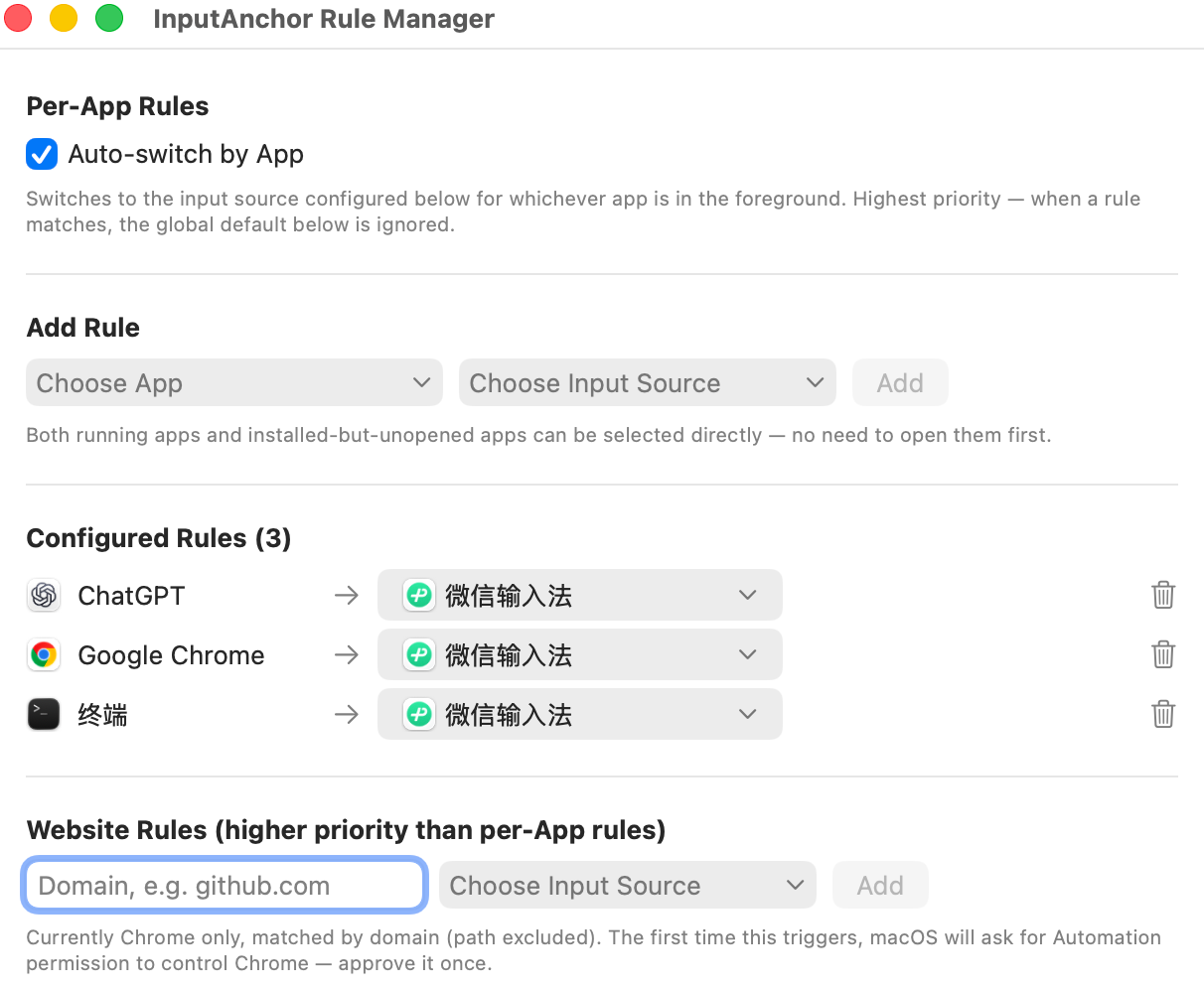
Quiet but strict
Set the rule once per app. It holds.
Per-app rules
Set which input source each app should use. InputAnchor switches for you and holds it there — switch apps, and it switches back automatically.
Works with macOS-visible input sources
InputAnchor keeps the system input source you select. Some third-party IMEs keep Chinese/English mode as private internal state, which macOS does not expose for an app to inspect or lock.
Device-bound licensing
Your license is cryptographically bound to your Mac's Secure Enclave, not a copyable file. One license covers up to 3 devices.
Website rules
Set input source by domain in Chrome too — website rules take priority over app rules, so github.com and docs in your native language can each keep their own default.
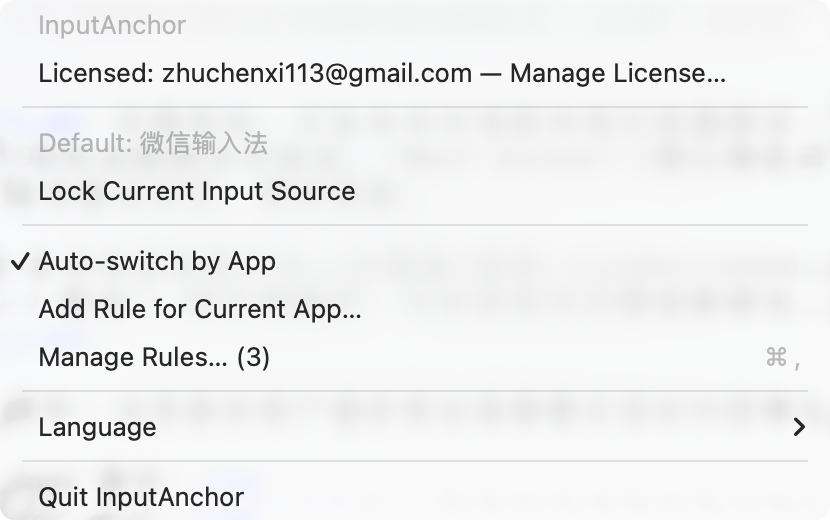
Lives in your menu bar
Lightweight, unobtrusive, one click away.
No Dock icon, no background noise. Check your current rule, lock an input source on the spot, or jump into rule management — all from the same menu bar item.
- Up to 3 Mac devices per license
- No subscription, no recurring fee
- Free trial available before you buy
- 14-day money-back guarantee
Tried it and want to keep it? Buy now to unlock for good.
Get InputAnchor