 InputAnchor
Für macOS · App-bezogene Eingabequellensteuerung
Fixiere die Eingabequelle deines Mac — pro App, jedes Mal.
InputAnchor sorgt dafür, dass macOS immer zur Eingabequelle wechselt, die du für jede App festgelegt hast — kein Satz geht mehr durch einen versehentlichen Sprachwechsel verloren.
Erfordert macOS 14 oder neuer. Für die kostenpflichtige Aktivierung ist Apple Silicon oder ein T2-Chip erforderlich — siehe Systemanforderungen unten.
Unauffällig, aber konsequent
Einmal pro App festlegen — es bleibt bestehen.
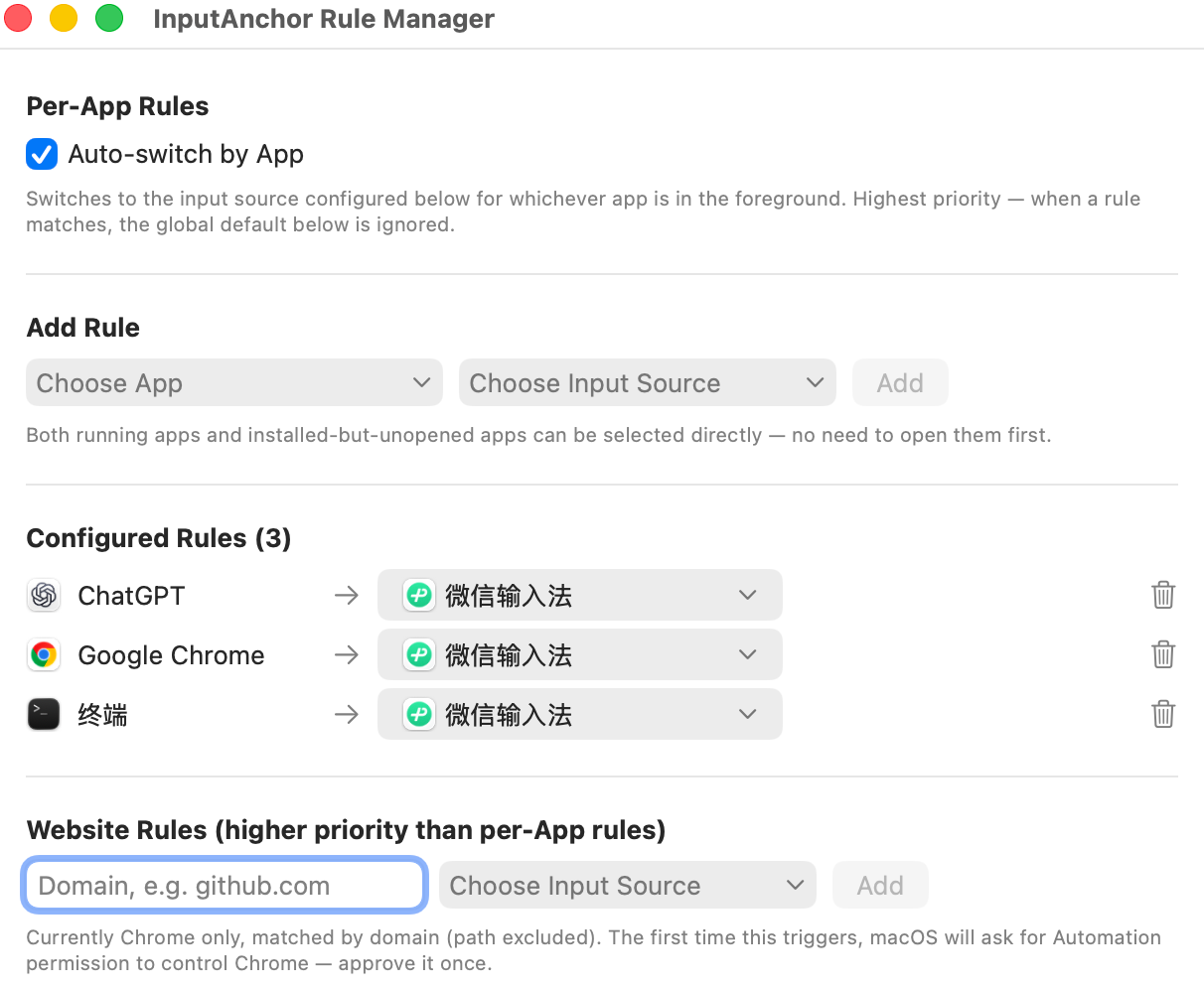
App-bezogene Regeln
Lege fest, welche Eingabequelle jede App verwenden soll. InputAnchor wechselt für dich und hält die Einstellung — beim App-Wechsel wird automatisch wieder zurückgeschaltet.
Funktioniert mit von macOS sichtbaren Eingabequellen
InputAnchor hält die von dir gewählte System-Eingabequelle aktiv. Einige IMEs von Drittanbietern verwalten den chinesisch/englischen Modus als privaten internen Zustand; macOS stellt ihn anderen Apps nicht zum Prüfen oder Sperren bereit.
Gerätegebundene Lizenz
Deine Lizenz ist kryptografisch an die Secure Enclave deines Mac gebunden, keine kopierbare Datei. Eine Lizenz deckt bis zu 3 Geräte ab.
Website-Regeln
Lege die Eingabequelle in Chrome auch pro Domain fest — Website-Regeln haben Vorrang vor App-Regeln, sodass github.com und Dokus in deiner Muttersprache jeweils ihre eigene Standardeinstellung behalten können.
Lebt in deiner Menüleiste
Leichtgewichtig, unaufdringlich, einen Klick entfernt.
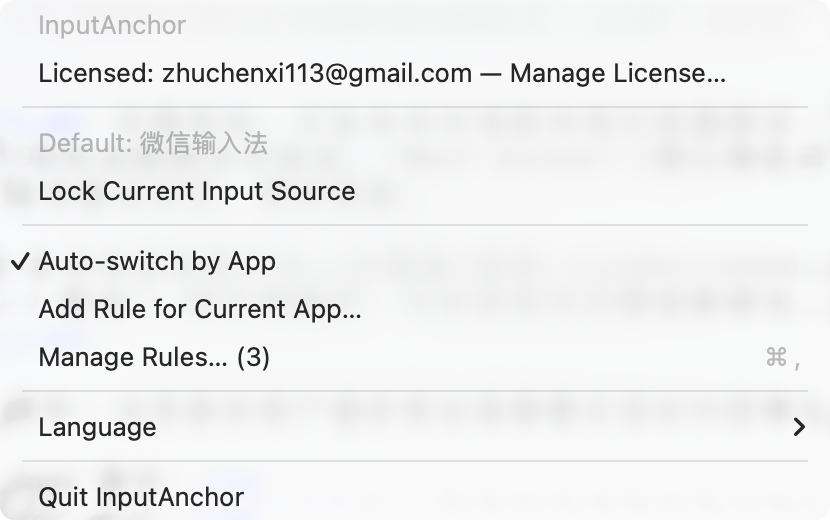
Kein Dock-Symbol, kein Hintergrundrauschen. Aktuelle Regel prüfen, eine Eingabequelle direkt fixieren oder die Regelverwaltung öffnen — alles über dasselbe Menüleisten-Symbol.
- Bis zu 3 Mac-Geräte pro Lizenz
- Kein Abo, keine laufenden Kosten
- Kostenlose Testphase vor dem Kauf
- 14 Tage Geld-zurück-Garantie
Gefällt dir die Testversion? Jetzt kaufen und dauerhaft freischalten.
InputAnchor holen